

How to run the input files on Linux
- In order to access the standalone Materials Studio codes, go to the following directory in the installation files of Materials Studio: 'BIOVIA/MaterialsStudio23.1/etc' as seen below.
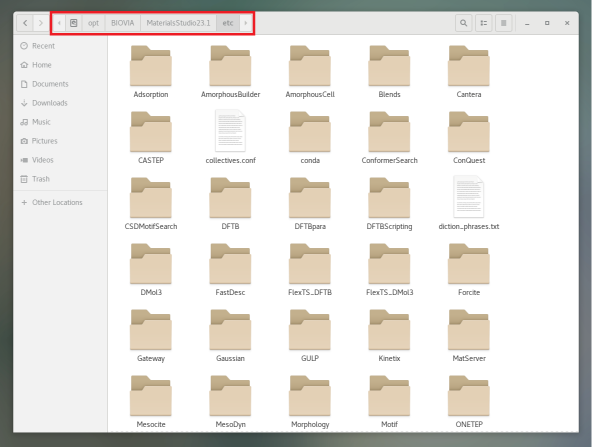
> Note: The default directory for BIOVIA Materials Studio Installation is 'opt/BIOVIA/MaterialsStudio23.1'
- Using CASTEP as an example to run the created input files, go to directory 'BIOVIA/MaterialsStudio23.1/etc/CASTEP/bin/' and copy the 'RunCASTEP.sh' file.
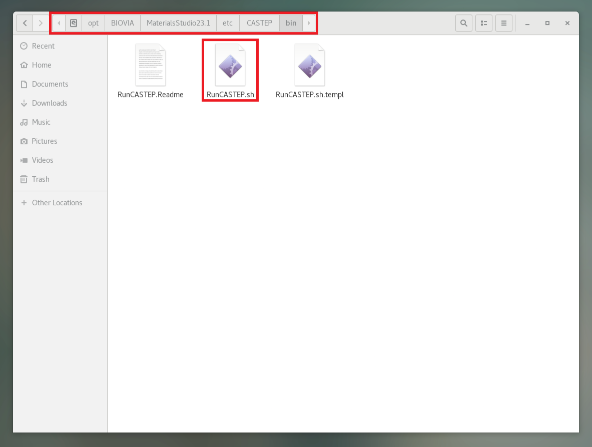
- Paste the 'RunCASTEP.sh' file into the directory of the input files, since it is important that the module script is present at the same input file directory.
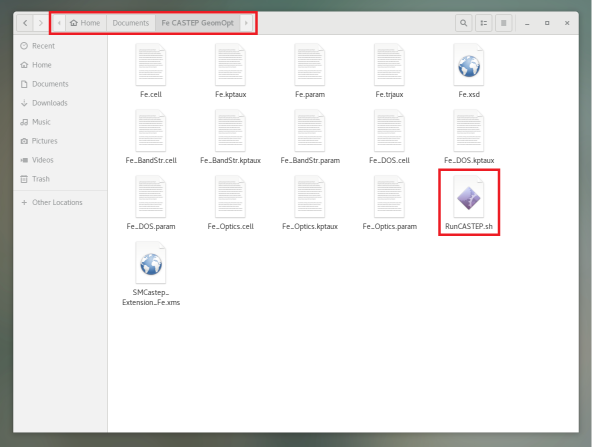
> Note: Each script has its own running criteria so you must determine it, from the help topic of materials Studio (Module > Module Jobs > Running Module in standalone mode)
- For CASTEP, the typical command template is:
RunCastep.sh [-h] [-np <number of cores>] [-nt <number of threads>] [ -q <queue name> ] <basename1> [ basename2 basename3 basename4 ... ]
Where:
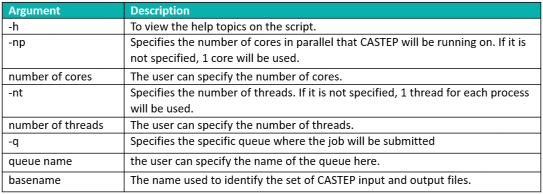
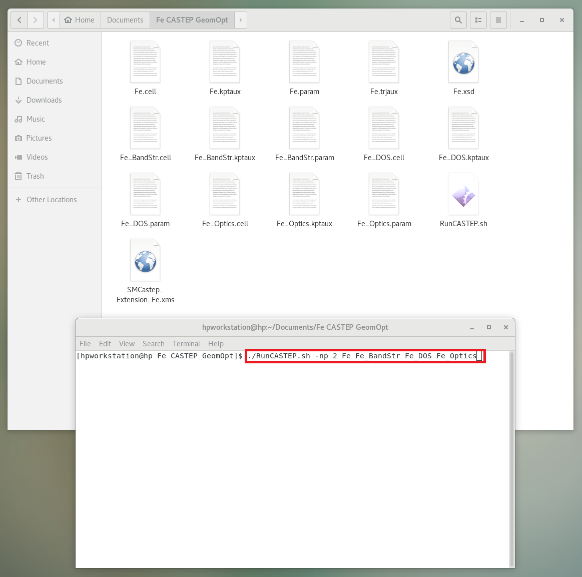
- Using the above command template, with Fe being the basename, run the following command on 2 cores, one thread for each process and no queue system specified:
<./RunCASTEP.sh -np 2 Fe Fe_BandStr Fe_DOS Fe_Optics>
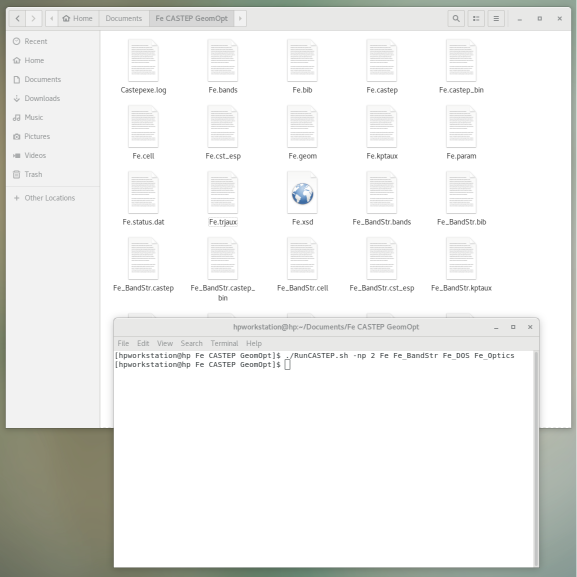
- Once the calculation is done (geometry optimization, band structure and optical properties) you will have a list of output files (e.g: Fe.castep, Fe.geom) to access your results.
Author

Besma Benzamia
Senior Solution Consultant
Besma is a chemical engineering graduate with a focus on separation processes, materials, and chemical reactions. She is currently working as a senior solutions consultant, focusing on molecular modeling and simulation using Materials Studio and COSMOsuite.